How to use this checklist
Start with your homepage and your most important service or product page. Work through the groups in order: a page that cannot be indexed will not benefit from a better title, and a better title matters more than shaving a tenth of a second off load time. Each check links to a free way to test it.
1. Can Google index the page?
- The page returns status 200Error and redirect pages are not indexed.Test it: Indexing checker
- No noindex tag or headerNoindex removes the page from Google, often left on by a plugin or staging setting.Test it: Indexing checker
- robots.txt allows the pageA Disallow rule stops Google crawling it.Test it: Indexing checker
- The canonical tag points to this pageA canonical pointing elsewhere asks Google to index the other address instead.Test it: Free audit
- The page is in your XML sitemapSitemaps help Google discover new and updated pages.Test it: Indexing checker
2. Will it look right in search results?
- A unique title of about 50–60 charactersThe title is the clickable headline in Google; longer ones are cut off.Test it: Free audit
- A meta description of about 120–160 charactersGoogle often uses it as the snippet under the title.Test it: Free audit
- One H1 that says what the page is aboutIt confirms the topic to visitors and search engines.Test it: Free audit
- The site uses HTTPSBrowsers warn visitors about insecure pages.Test it: Free audit
3. Is the content useful?
- The first paragraph answers the searcher's questionVisitors (and AI answers) decide quickly whether the page is relevant.Test it: Compare it with Google's results (guide)
- No thin or near-duplicate pagesPages that add nothing new are often crawled but not indexed.Test it: Website crawler
- Clear H2 sectionsThey make long pages easy to scan.Test it: Free audit
- Images have alt textAlt text describes images to screen readers and search engines.Test it: Free audit
4. Links
- Linked from at least one important pagePages with no internal links (orphans) are hard for Google to find.Test it: Website crawler
- No broken linksBroken links waste visitors' time and crawl effort.Test it: Website crawler
- No redirect chainsEach extra hop slows visitors and crawlers.Test it: Website crawler
5. Speed and mobile
- Core Web Vitals pass (LCP ≤ 2.5 s, INP ≤ 200 ms, CLS ≤ 0.1)Google uses them as page experience signals; slow pages also lose visitors.Test it: Speed test
- Readable on a phone without zoomingGoogle indexes the mobile version of your site.Test it: Open the page on your own phone
6. Structured data and sharing
- Valid structured data that matches the visible pageIt can earn rich results such as breadcrumbs; invalid or misleading markup is ignored.Test it: Free audit
- Open Graph tags for sharingThey control the title and image when the page is shared on social media.Test it: Free audit
A real audit example
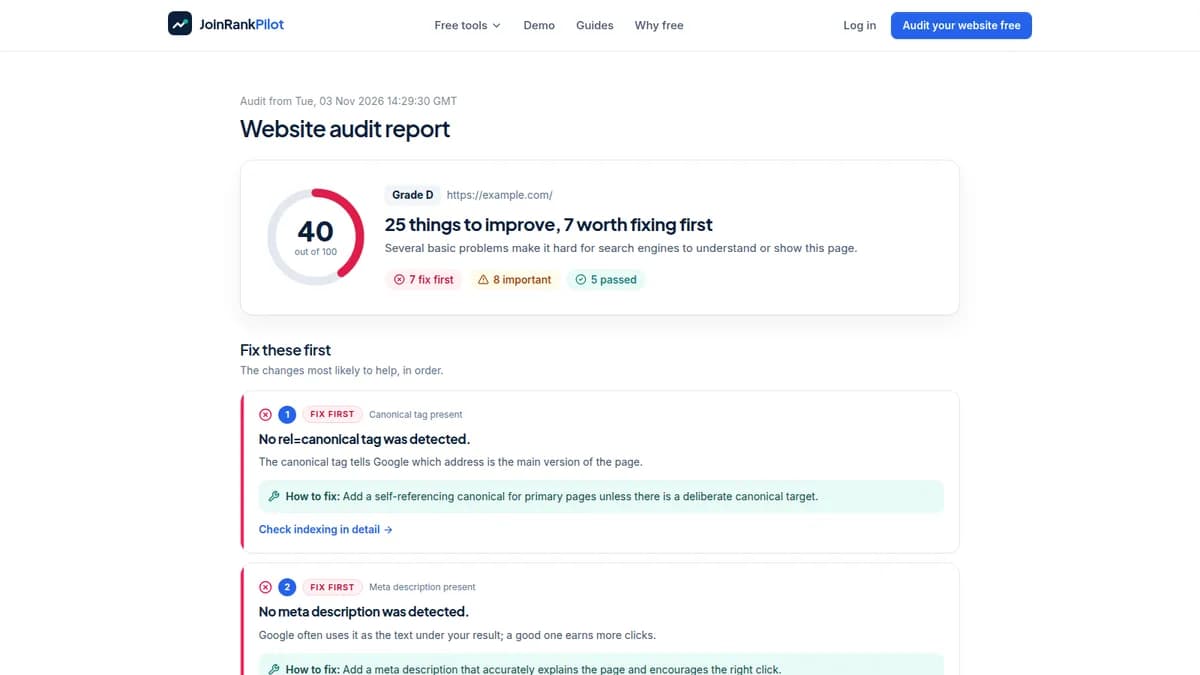
This is a real report from the free audit for example.com. It scored 40/100 when captured, mainly because the page has no meta description, no H1 and no canonical tag: three items from groups 1 and 2 above, each a few minutes' work to fix on a real site.
SEO audit FAQ
How often should I audit my website?
Run a quick audit of your most important pages after any change to them, and a whole-site crawl every month or after a redesign or plugin update.
Can I do an SEO audit for free?
Yes. Every check in this list can be tested with free tools: the JoinRankPilot audit, indexing checker and speed test need no sign-up, the website crawler needs a free account, and Google Search Console is free.
Which fixes should I make first?
Anything that stops indexing first (status, noindex, robots.txt, canonical), then titles and descriptions, then content and links, then speed. The free audit sorts its fix list by impact.
Will passing every check guarantee rankings?
No. The checklist removes technical problems that stop search engines understanding or showing a page. Rankings also depend on how well the content answers the search, competition and links from other sites.