Free website crawler and technical SEO audit
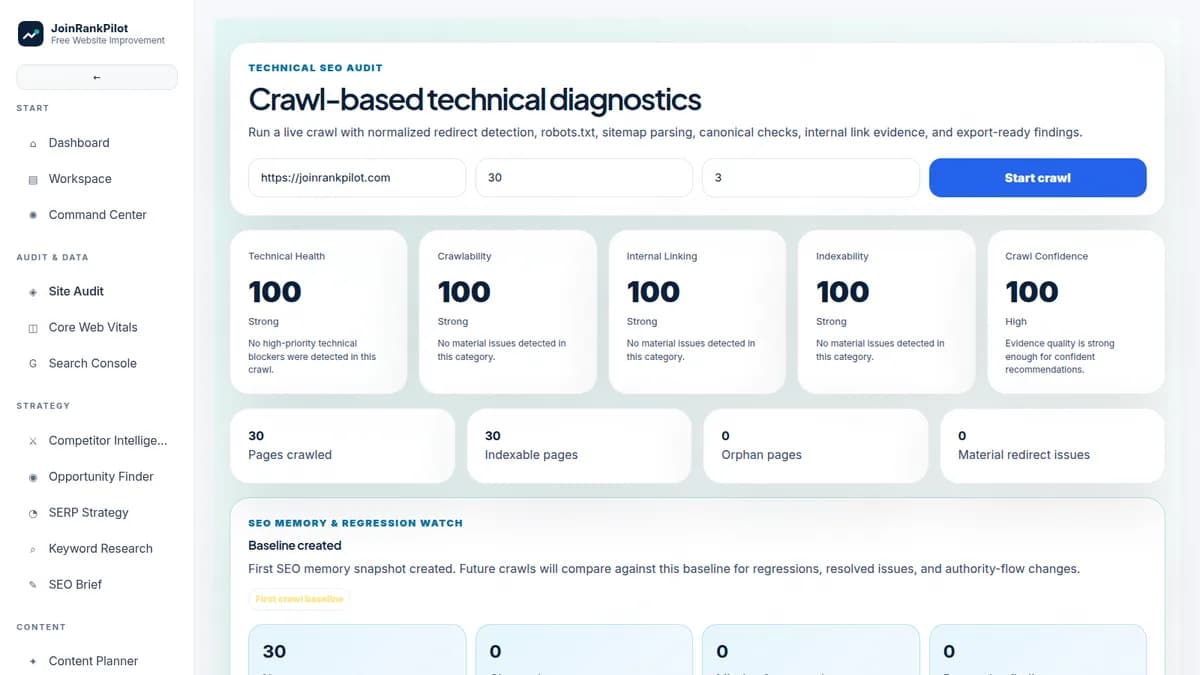
One page can look fine while the site around it is broken. The crawler follows your links and sitemap like a search engine, then lists the problems between pages that a single-page check cannot see.
What the crawler finds
Broken internal links
Links to pages that return an error, with the page that links to them so you know what to edit.
Redirect chains and loops
Internal links and sitemap URLs that bounce through several redirects, or never arrive.
Orphan pages and weak linking
Pages that nothing links to, or only one page does, so search engines struggle to find them.
Pages blocked from Google
noindex tags, X-Robots-Tag headers and robots.txt rules that stop pages appearing in search.
Canonical problems
Missing canonicals, conflicts, and pages that point search engines at a different URL.
Duplicate titles and descriptions
Pages competing with each other because they share the same title or meta description.
Missing titles and descriptions
Pages with nothing for Google to show in the search result.
Sitemap gaps
Indexable pages missing from your sitemap, and sitemap URLs that redirect or are not indexable.
How it works
- Step 1
Enter your homepage
The crawler reads your robots.txt and sitemap, then follows internal links.
- Step 2
Get a health score
Issues are grouped by impact so the biggest problems come first.
- Step 3
Fix and re-crawl
Each issue becomes a guided fix mission. Crawl again to confirm it is solved.
Prefer to hand the fixes to someone? Get help from a website professional. Want to grow beyond fixes? See the content planner and topical authority guide.
Questions
- Is the website crawler free?
- Yes. Create a free account and crawl up to 300 pages per run. There is no paid plan; a daily fair-use limit stops abuse.
- How is this different from the free website audit?
- The free website audit checks one page in depth without an account. The crawler follows links across your whole site to find problems between pages, such as broken links, redirect chains and orphan pages.
- Will crawling slow down my website?
- The crawler fetches pages one after another with short pauses, follows your robots.txt and stops at the page limit, so a normal website will not notice it.
- Can I crawl a website I do not own?
- Only crawl sites you own or have permission to check, such as a client's site. See our acceptable use policy.
- What happens after the crawl?
- Issues are grouped by impact, and each one becomes a guided fix mission explaining what to change and how to check it worked. Run the crawl again to confirm the fixes.
Keep going with the free tools
Every tool is free, with no paid plan. Tools marked No sign-up work straight away; the others need a free account (no card).
Free guides